| Prompt | Response | Req | Len |
|---|---|---|---|
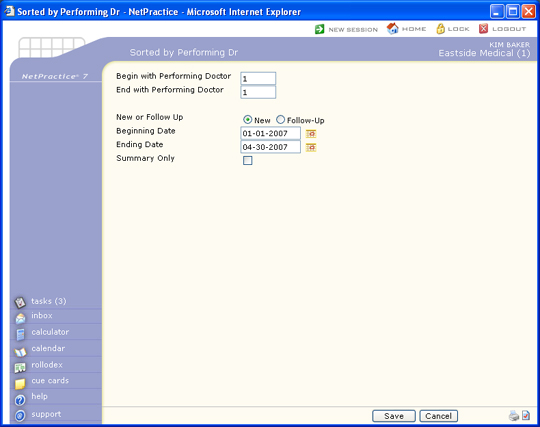
| Begin with Performing Doctor | Type the code you want to start with or leave the text box blank to start with the first code in the table. | 5 | |
| End with Performing Doctor | Type the code you want to end with or leave the text box blank to end with the last code in the table. | 5 | |
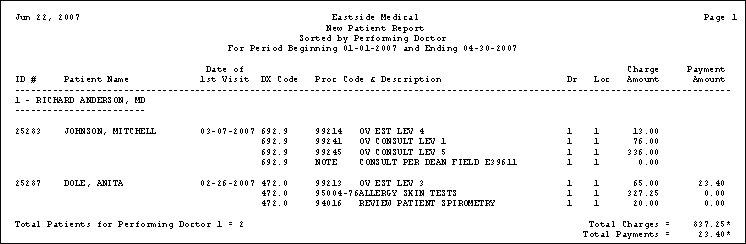
| New or Follow Up | Select the sorting option you want. New will generate a list of all new patients added to CGM webPRACTICE during the time frame selected. Follow-up will generate a list of patients returning for follow up care during the time frame selected. | 1 | |
| Date of Service or Date of First Visit | Select the sorting option you want. | 1 | |
| Beginning Date | Type the date you want the report to start with or click the calendar icon to select a date. | 10 | |
| Ending Date | Type the date you want the report to end with or click the calendar icon to select a date. | 10 | |
| Summary Only | If you only want to print a summary, select this check box. |  |
1 |
Copyright and Trademark Notice. Copyright © 2019 CompuGroup Medical, Inc. CGM®, CompuGroup Medical® and the CGM logo are registered trademarks and CGM webPRACTICE™ and CGM webTOOLS™ are trademarks of CompuGroup Medical AG in the United States and/or other countries. Any rights not expressly granted herein are reserved.