DMS Record Integration
With the DMS Record Integration function, you can control which DMS
Records are available in the DMS portion of a patient's account. If your
practice uses multiple databases in CGM webPRACTICE, this information must
be set up for each database and entered from within that database.
Upon accessing this function, the list of all DMS record types displays. Some
records are standard and required by CGM webPRACTICE; those records cannot
be inactivated.
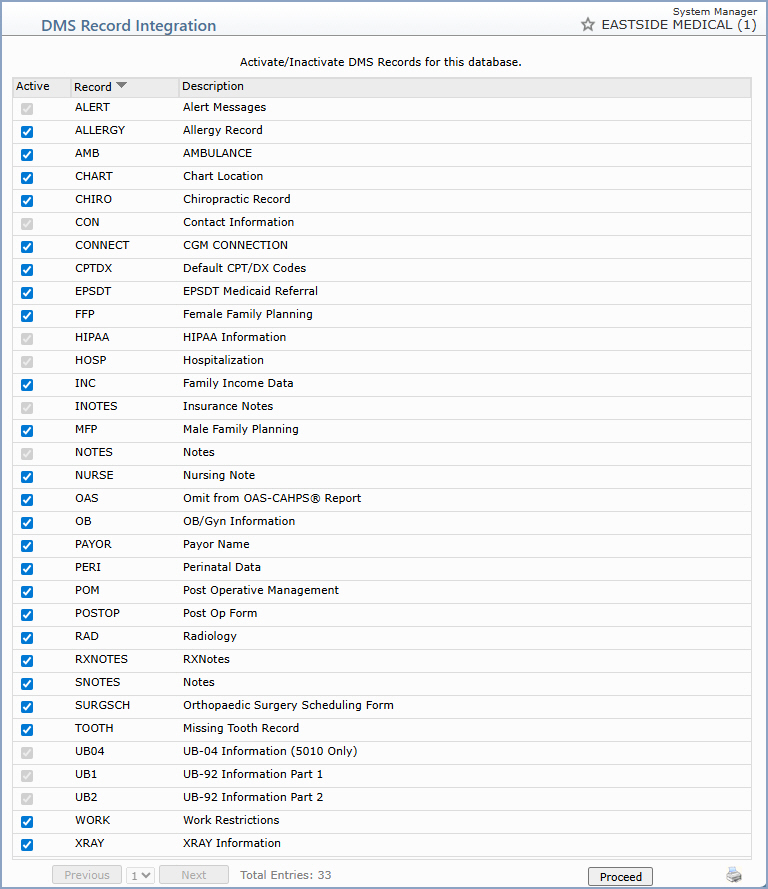
To inactivate a DMS record type, clear the Active check box next to
the record name. To reactivate a record type, select the Active check
box.
Note: You cannot inactivate a record type if it has already been used
in a patient's account.
Click Proceed to save your changes.

