
| Prompt | Response | Req | Len |
|---|---|---|---|
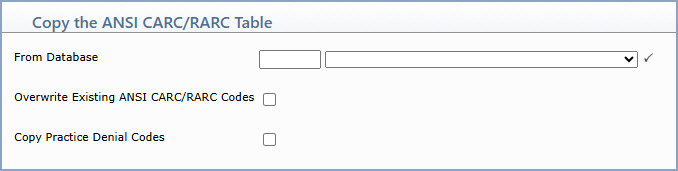
| From Database | Type the database you want to copy the table FROM or select from the Database list. |  |
4 |
| Overwrite Existing ANSI CARC/RARC Codes | If you want to overwrite any existing codes, select this check box. This will replace all the data previously entered in the table you are copying TO, with the data from the table you are copying FROM. | 1 | |
| Copy Practice Denial Codes | If you want to also copy the Practice Denial Codes mapped to the ANSI CARC/RARC codes, select this check box. | 1 |
Copyright and Trademark Notice. Copyright © 2019 CompuGroup Medical, Inc. CGM®, CompuGroup Medical® and the CGM logo are registered trademarks and CGM webPRACTICE™ and CGM webTOOLS™ are trademarks of CompuGroup Medical AG in the United States and/or other countries. Any rights not expressly granted herein are reserved.
