
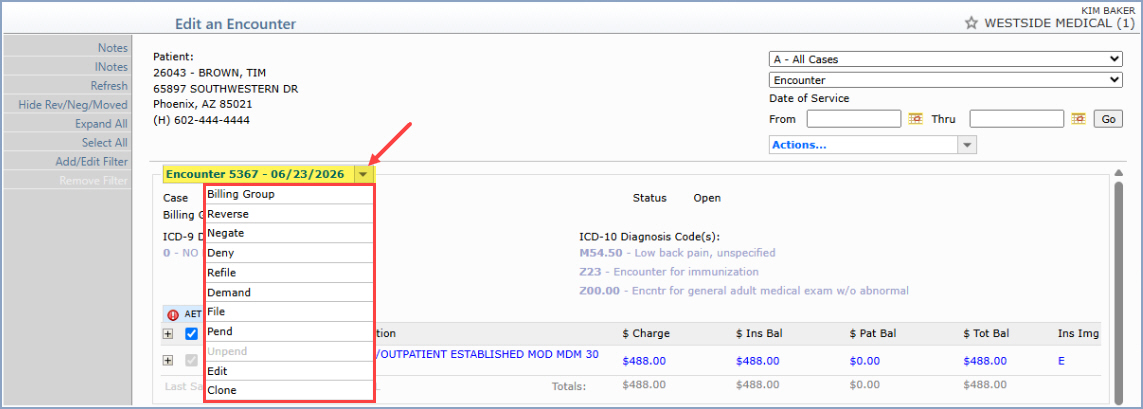
If you click on a single transaction row or you click on the encounter name in the encounter actions field, the details for the encounter will display. Select the check box to the left of one or more line items, then choose an action from the Encounter Actions drop-down list. The list will contain the options below and only the actions applicable to the selected line item(s) are available; actions that do not apply appear inactive (grayed out), with the reason shown in parentheses if needed — for example, Deny (No Insurance Balance).
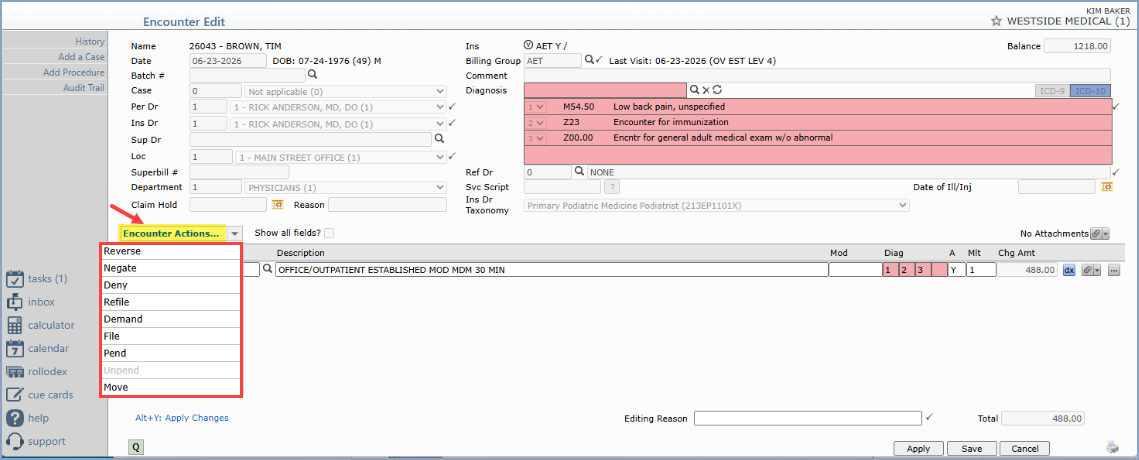
If you select a single transaction, multiple transactions or all transactions within the encounter first and then click the Encounter Actions drop-down list, the list will contain the following options and only the actions applicable to the selected line item(s) are available; actions that do not apply appear inactive (grayed out), with the reason shown in parentheses if needed — for example, Deny (No Insurance Balance).
Copyright and Trademark Notice. Copyright © 2019 CompuGroup Medical, Inc. CGM®, CompuGroup Medical® and the CGM logo are registered trademarks and CGM webPRACTICE™ and CGM webTOOLS™ are trademarks of CompuGroup Medical AG in the United States and/or other countries. Any rights not expressly granted herein are reserved.
