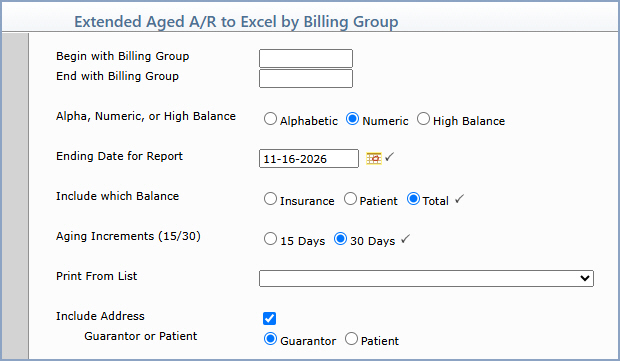
| Prompt | Response | Req | Len |
|---|---|---|---|
| Begin with Billing Group | Type the code you want to start with or leave the text box blank to start with the first code in the table. | 9 | |
| End with Billing Group | Type the code you want to end with or leave the text box blank to end with the last code in the table. | 9 | |
| Alpha, Numeric, or High Balance | Select the sorting option you want to indicate if you want the accounts sorted alphabetically, numerically, or by the highest balance. | 1 | |
| Ending Date for Report | Type the date you want the report to end with or click the calendar icon to select a date. |  |
10 |
| Include which Balance | Select the balance you want the report to include: Insurance, Patient or Total. | |
1 |
| Aging Increments (15/30) | Select the aging increment option you want when printing the report. | |
2 |
| Print From List | If you want to print this report based only on the patients contained in a previously defined DMS List, select the list you want to use. For information about creating a list, see the List Processor function. | 20 | |
| Include Address Guarantor or Patient |
If you want the report to include an address, select the Include Address check box (it is selected by default), and then select Guarantor to include the guarantor's address or Patient to include the patient's address. If you do not want either address on the report, clear the check box. | 1 |
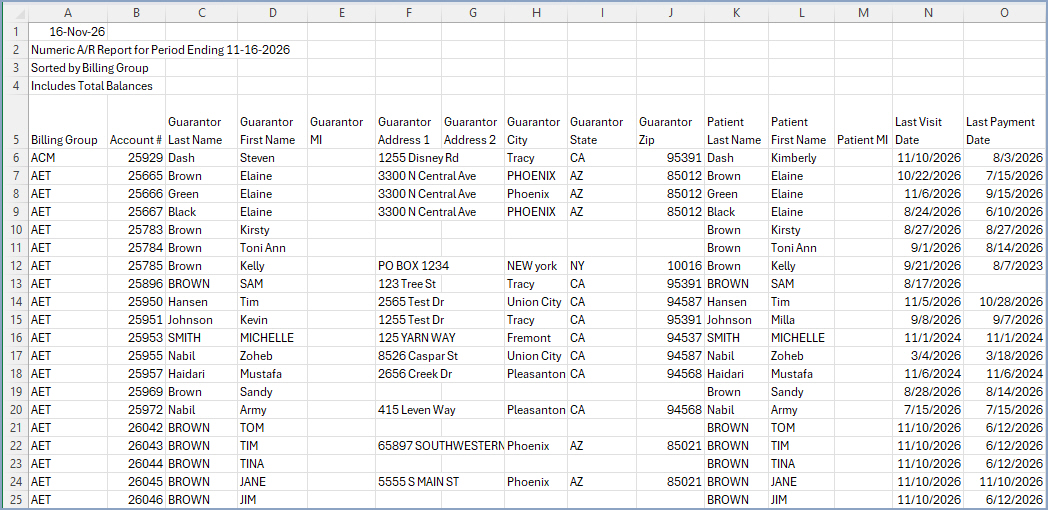
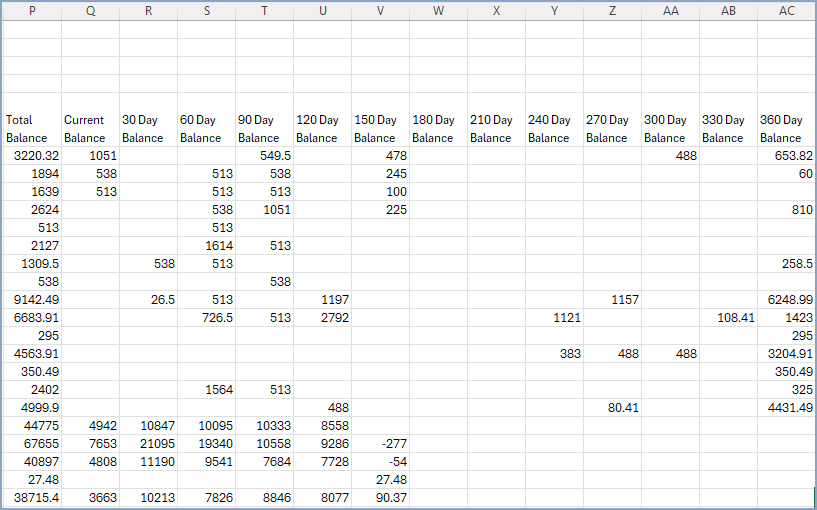
Copyright and Trademark Notice. Copyright © 2019 CompuGroup Medical, Inc. CGM®, CompuGroup Medical® and the CGM logo are registered trademarks and CGM webPRACTICE™ and CGM webTOOLS™ are trademarks of CompuGroup Medical AG in the United States and/or other countries. Any rights not expressly granted herein are reserved.