
Payment codes assigned as co-payments are handled differently than personal
payments or insurance payments.
You can review how your payment codes are set up in Review
a Payment Code or edit them in Maintain
Payment Codes.
A Co-payment differs from a personal payment and an insurance payment in
the following ways:
You can also enter co-payments through the Patient
Check In/Out function. These are stored as Unposted
Payments.
On the Payment Allocation screen, the co-payment amount automatically defaults
to the co-payment amount entered in the patients insurance record. If
you enter a Payment Code that has the Insurance
Payment Type set to Copayment and the Performing Doctor stored
for the procedure is set to Specialist, if a Spec Co-Pay amount is not
stored on the patient’s primary insurance policy, the amount stored for
the regular Co-Payment Amount will populate.
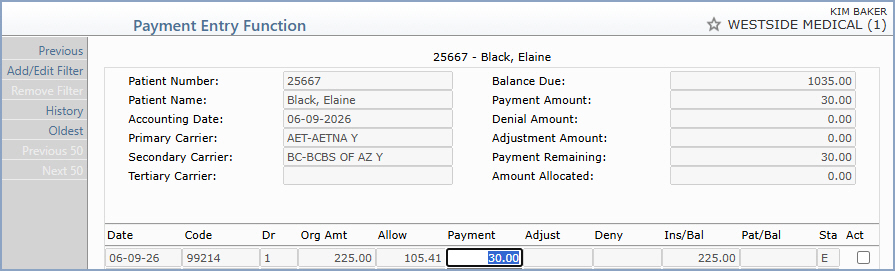
If you do not allocate the entire co-payment, you will receive a message
stating 'The amount of $ #.## will remain unallocated. Do you want
to post this payment?' Click Cancel if you want to continue
allocating the payment or click OK to save this payment.
Copyright and Trademark Notice. Copyright © 2019 CompuGroup Medical, Inc. CGM®, CompuGroup Medical® and the CGM logo are registered trademarks and CGM webPRACTICE™ and CGM webTOOLS™ are trademarks of CompuGroup Medical AG in the United States and/or other countries. Any rights not expressly granted herein are reserved.
